CBT on the computers
you already have.
Tests, exams and mocks on any laptop, desktop or tablet: your computer room, a few laptops in turns, or students' own at home. Every answer is saved within seconds and waits out a power cut.
Which gas do green plants take in to make food?
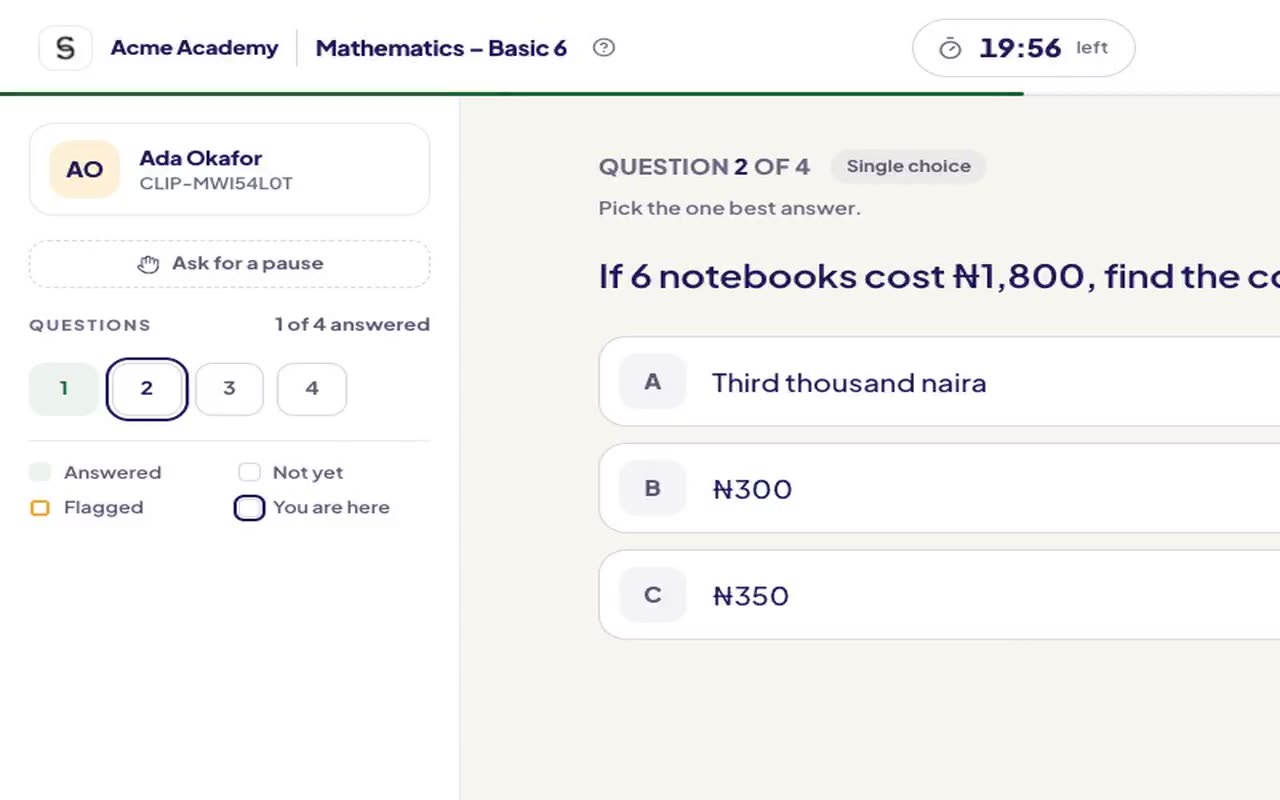
A test, as the student sees it.
Recorded from AnySchool itself, on our demo school's data: every answer is saved the moment it's chosen.
One engine, four kinds of test.
- CA tests and terminal exams
- Scores go straight to the report sheet
- Entrance exams for admissions
- WAEC, NECO, BECE, JAMB, GCSE and Edexcel mocks
- Weak topics found for each student
- A predicted grade before the real paper
- Hundreds of candidates a day
- Timed sessions and live monitoring
- Results the moment they submit
- Aptitude tests for hiring
- Coding and essay questions
- Ranked candidates, every answer kept
From question bank to report sheet.
Type questions, or import them from Word, a PDF or a photo of a past paper.
Pick the class, the time window and the length. Questions can be shuffled.
On a laptop, a desktop or a tablet, at school or at home. Answers save every few seconds.
Objective answers marked at once; essays marked by the teacher; scores on the sheet.
More than A, B, C or D.
Walk into WAEC already knowing.
Mocks in the style of the real papers. Each one finds the topics a student keeps missing and turns them into practice, with a predicted grade that moves as they improve.
Everyone in the exam hall, and nobody needs a lab.
Write or import questions, set the test, mark essays, and see who struggled with what.
Sit the test on their own laptop or tablet, or the school's, with a timer and every answer saved.
Schedule papers, watch tests live, and approve scores before they reach the report sheet.
Asked by exam officers
What happens if the light or the network goes off mid-test?
Nothing is lost. Answers are saved on the device every few seconds and sent the moment the connection is back. The student carries on where they stopped.
What devices do tests open on?
Any laptop or desktop computer, or a tablet held sideways. Students can use the school's computer room, take turns on a few laptops in small groups, or sit a test at home on their own. Tests don't open on phones: a full screen and keyboard keep the test fair and easy to read.
Can we import our old question papers?
Yes. Import from Word or PDF, or take a photo of a past paper, then check the questions before they go live.
Can students cheat by sharing answers?
Questions and options can be shuffled for each student, tests run in a set time window, and staff can watch who is writing live.
See it running in your school.
A 20-minute demo, on your own phone or laptop. We set it up with you, bring your students across from spreadsheets, and stay close through your free term.