Record a payment at the bursary
You need the fees collection duty.
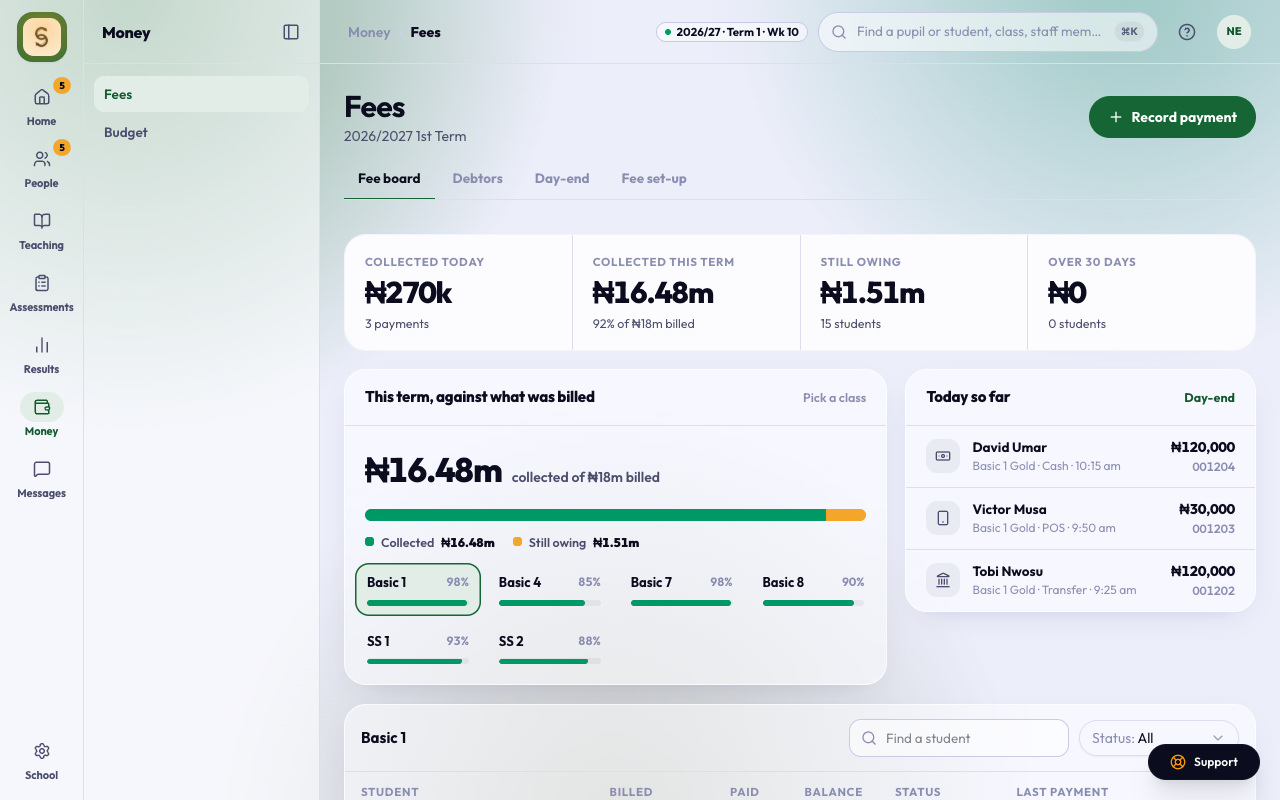
- Open Fees. On the Fee board, press Record payment, or Record on a student’s row.
- Find the student by name or ID.
- Enter the Amount.
- Choose POS, Cash or Transfer. Add the POS slip number or the transfer reference. These are required. For cash, the receipt book number is optional.
- Check Paying for. The money goes to the oldest bill first, and you can change that.
- Press Save payment.
You see Saved. Receipt … and the parent gets the receipt by email. The payment shows at the top of Today so far, beside the classes.
On the fee board, pick a class from This term, against what was billed to see its students. A class below 70% collected shows in gold.
AnySchool stops you if the amount is more than the student owes, or if a slip number has already been used.
Online payments
When parents pay online, the payment appears on its own, marked as paid online. You don’t record it.
Receipts
Open a payment’s receipt to Print it (A4) or Send again to the parent.
- Void: a fees manager can void a wrong entry (for example, the wrong student). The amount goes back on the bill, and the receipt stays on record marked void, with the reason.
- Refund: online payments can be refunded instead. The service fee the parent paid on top isn’t refunded.
Debtors
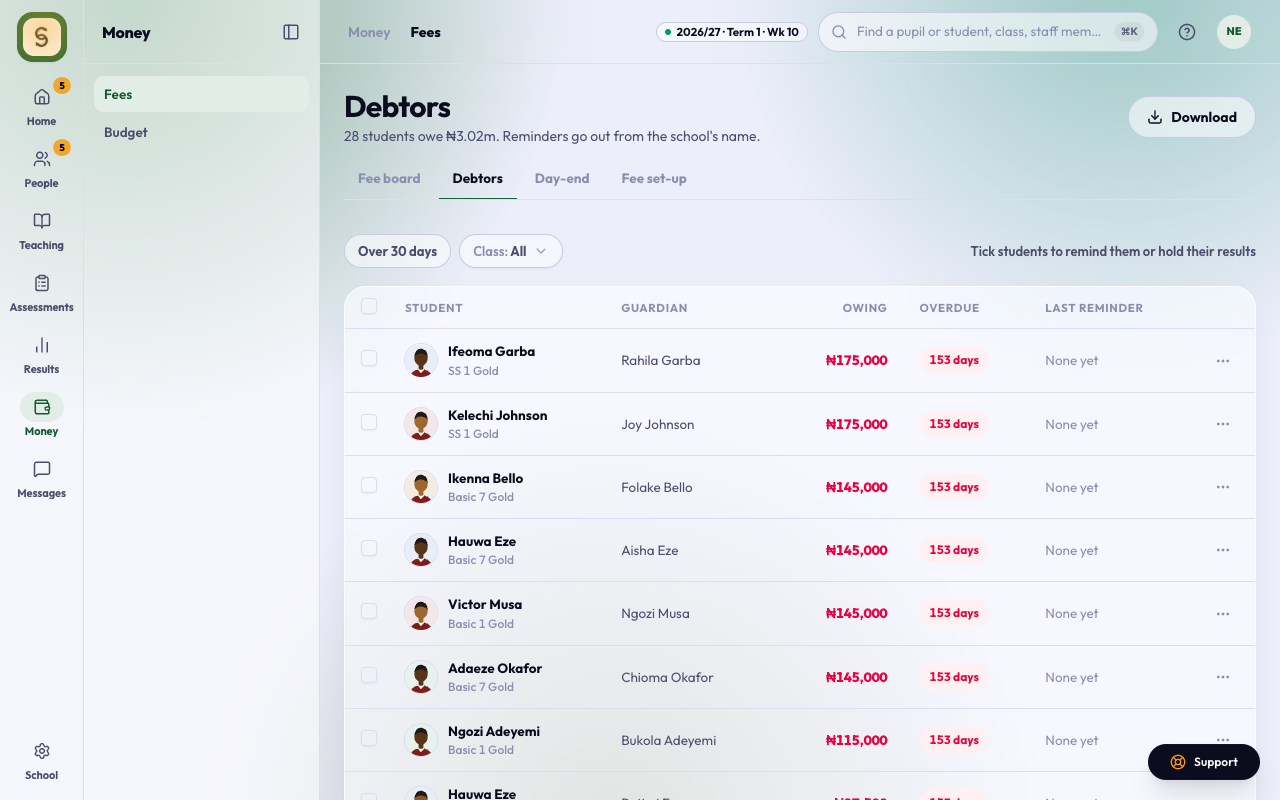
The Debtors tab lists everyone who owes, with their guardian and how long it’s overdue.
- Use Over 30 days or a class to narrow the list. Download saves it.
- Tick students and press Send reminder. It goes out in the school’s name and greets each guardian by name. Clear unticks everyone.
- A last reminder in red failed or found no contact: phone that family instead.
- If your school holds results for unpaid fees, Hold results holds a student’s report sheet. Release result (in the row’s menu, or beside anyone paid but still held) gives it to the parents while the fees are still owed. Your reason is kept on record.
- When a class’s results are approved, everyone in the class who still owes for that term is held for you, unless you choose otherwise: hold anyone who owes, only those who owe more than an amount you type, or nobody. These show as held at approval. A result you have released isn’t held again for that term.
- When a class is sent for approval, Home tells you who in it owes and how much. Review opens Debtors on that class, so you can release anyone who shouldn’t wait before the results go out.
Day-end
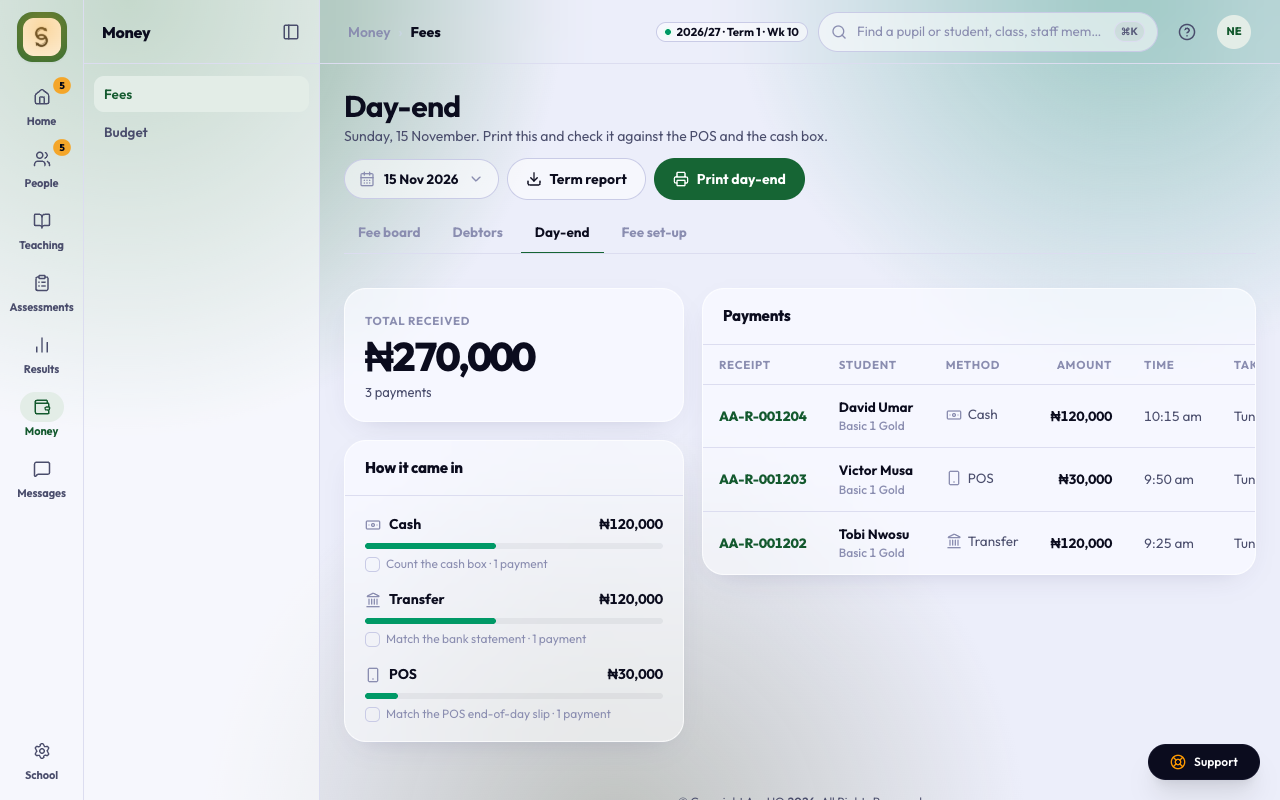
The Day-end tab is the day’s takings: the total, how it came in (POS, cash, transfer, online), and every payment with who took it.
Print day-end and check it against the POS and the cash box. Term report downloads the whole term.
History
If your school has switched Change history on, top management and the bursar also see a History tab. It lists, one line each, who recorded a payment, sent a receipt, gave or took off a discount or exemption, or refunded a payment, and when. It covers this term and the one before, and doesn’t show amounts or earlier values. Teachers don’t see it.