Open your register
- Choose Register in the Teaching space.
- You see today’s registers you can take, each marked Taken today or Not taken yet. Your own class says Your class.
- Tap a class to open it.
If it says You have no class to take a register for this session, ask whoever manages classes to make you a class teacher.
Mark who isn’t present
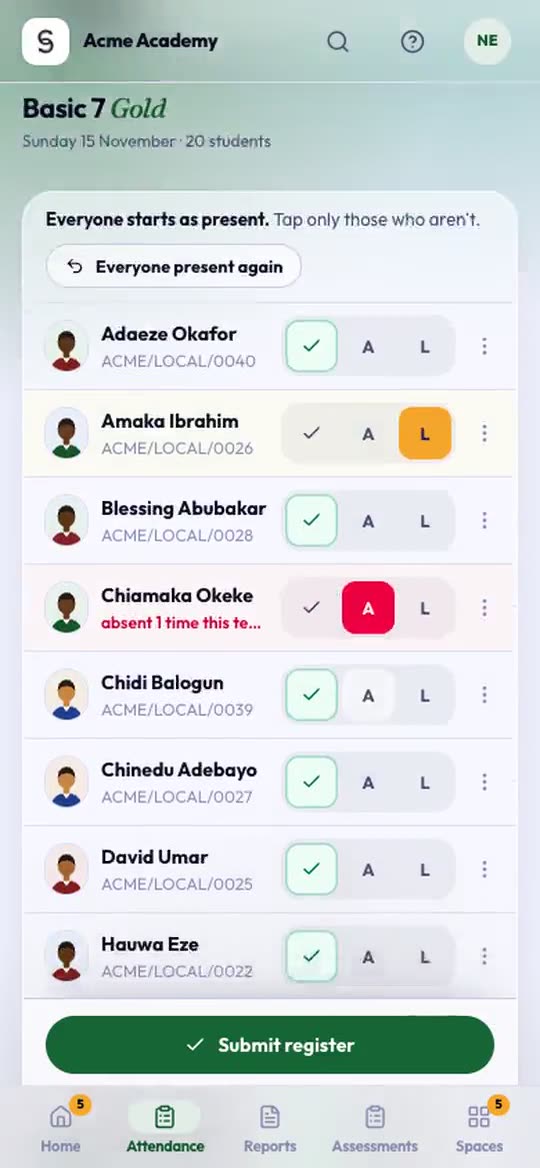
Everyone starts as present. Tap only those who aren’t.
- Tap a student’s name.
- Choose Absent, Late, Excused or Away.
- If you like, add a reason: Sick, Travelled, Family matter or No reason given.
- Tap Done.
The sheet also shows how often that student has been absent this term.
Submit it
Press Submit register. You see Register saved with the counts.
If you need to correct it later today, open the class again, change the marks and press Update register.
Without internet
The register works offline. When the signal drops you see an Offline badge, and your taps are kept on the phone.
If it can’t send, it says Saved on this phone. It sends itself when you’re back online. It sends on its own when the signal comes back, and tells you when it has.
Where your school has Pages work without internet on, the rest of the app keeps going too. The line under the top bar turns amber and says You’re offline, and the pages you opened, plus your everyday pages (your class, the register, Students, Fees and so on), still open, each showing when it was saved. Paying, approving and sending wait until you’re back online. When the signal returns, the line turns green for a moment and says Back online, and the page refreshes itself. Signing out clears everything saved on that phone or computer.
The dot on your picture, top right, shows the connection at a glance: green when you’re connected, grey with a crossed-out cloud when you’re not. Rest the mouse on it, or open the menu, to read Offline · last synced 10:42. Wi-Fi with no data counts as offline too.
Sometimes the internet works but AnySchool can’t reach its server. The line then says AnySchool can’t reach the server. Your work is saved on this device. Keep going as you would offline: the register and scores you enter wait on the device and send once AnySchool answers again.
Absence alerts to parents
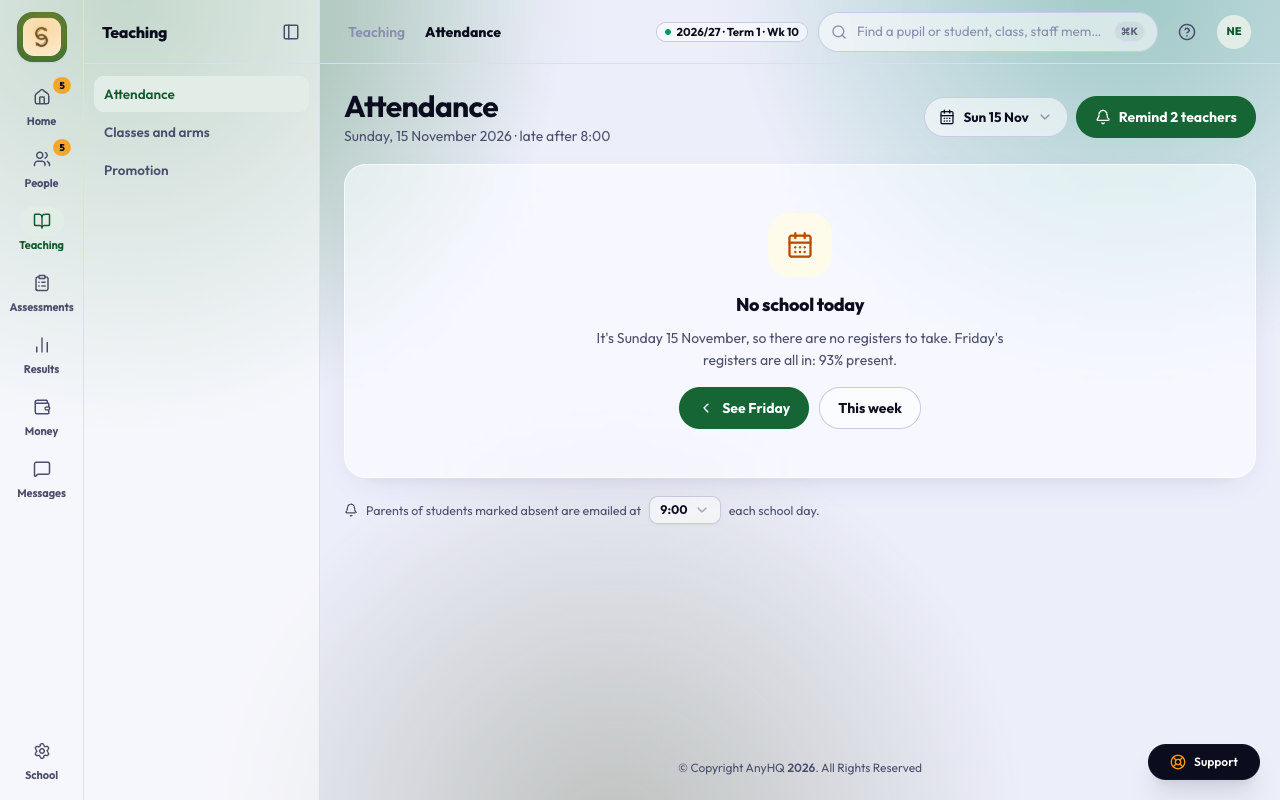
Parents of students marked absent are emailed at the school’s alert time each school day (the Attendance page shows the time). Mark the register before then.
For heads and admins: the Attendance page
Attendance, in the Teaching space, shows today’s numbers for the whole school, and which classes have taken their register:
- Use Today, This week or This term to change the period, and the date picker to look at another day.
- Press Remind on a class, or Remind teachers, to nudge the teachers who haven’t taken their register yet.
- Download saves the table.