At the end of the session, Promotion moves every class up in one go. You choose who repeats, who graduates and who leaves.
You need to manage the whole school’s students (or report sheets).
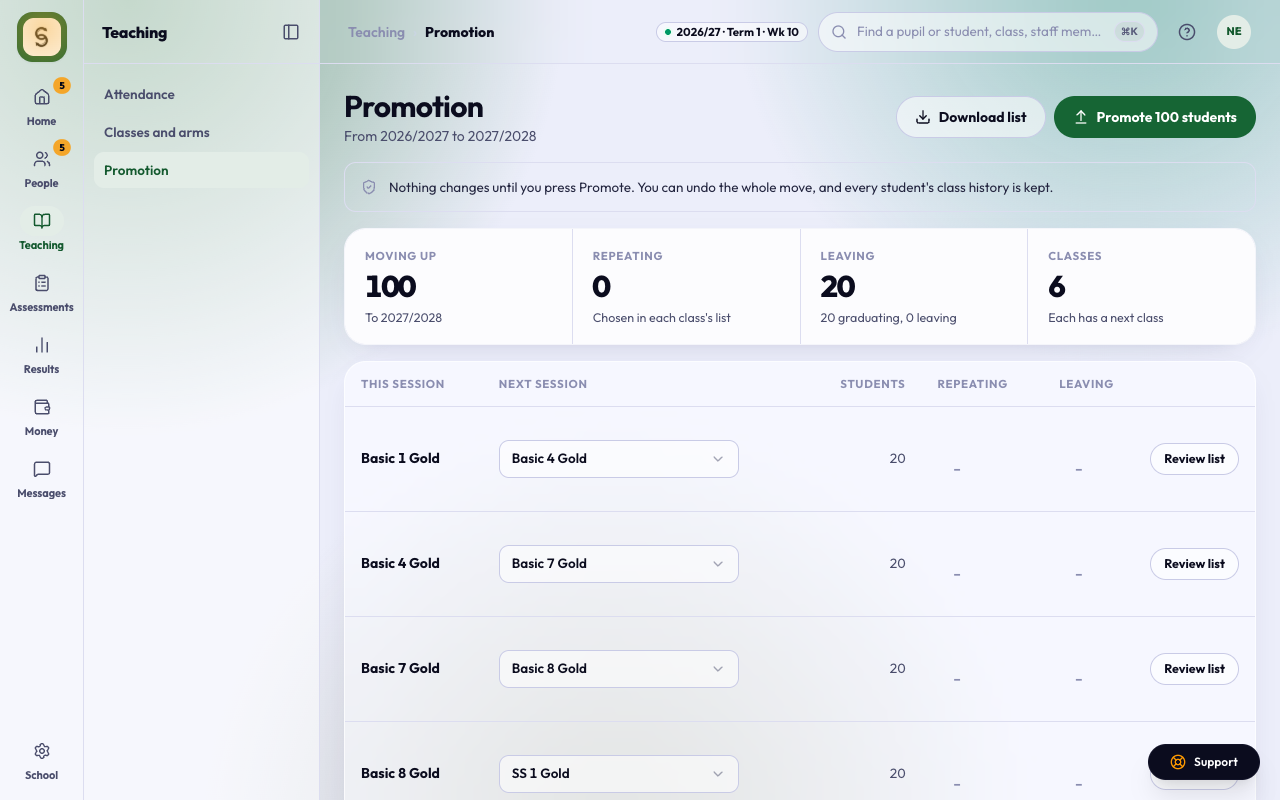
Choose where each class goes
- Choose Promotion in the Teaching space. It shows the move From this session to the next.
- For each class, choose its Next session class, or Graduated for a final-year class.
- Promote stays locked until every class has somewhere to go.
Nothing changes until you press Promote.
Check each class’s list
Press Review list on a class. For each student, choose one:
- Moves up
- Graduates
- Repeats (stays in the same class)
- Leaves the school
- Moves to another arm
The year average comes from this session’s approved end-of-term sheets. A repeat that a teacher recommended shows as waiting to be confirmed.
Download list saves the class’s list as a spreadsheet.
Promote
Press Promote, check the numbers, and press Promote again.
Then set the new session on Sessions and terms. The new classes show once it is the current session. See Set the session and term.
You can Undo promotion for 30 days, until the new session has results or subject choices. Every student’s class history is kept either way.